Tesla Premium Connectivity: Worth It or Pass?
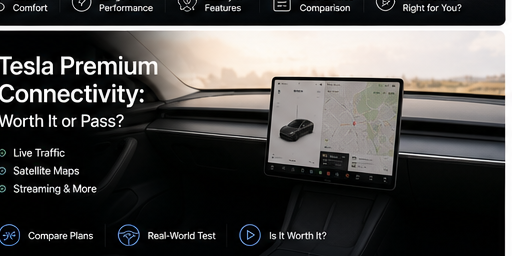
Here's the part most used-Tesla shoppers miss: whether you'll ever pay for Premium Connectivity is usually decided years before you show up—by the date the car was originally ordered, not by its model year or who's selling it. Order early enough and Premium is free for the life of the car. Order a day too late and you're looking at $9.99 a month, indefinitely.
This guide cuts through it: what Premium actually adds over the free Standard tier, what it costs, which used cars still carry the lifetime perk, and how to check a specific car before you buy. Connectivity won't make or break a purchase—but it's a real line in your cost of ownership, and it's easy to get wrong.
Find your match, then never miss it.
Browse every used Tesla in the US free, or set a $29 alert and we ping you the moment your car appears or drops in price.
Premium vs. Standard: What You Actually Get
Every Tesla ships with Standard Connectivity free for 8 years from delivery (lifetime if the car was ordered on or before July 20, 2022). It covers the essentials and keeps the car safe and current:
- Navigation and maps, including routing that accounts for live traffic when it picks your best route
- Over-the-air software updates (faster on Wi-Fi)
- Remote monitoring and controls through the Tesla app
- Phone-as-key, alerts, and basic cellular for safety features
- Music over Bluetooth from your phone
Premium Connectivity ($9.99/month or $99/year) layers richer, data-hungry features on top—delivered over the car's own cellular modem, so they work without tethering to your phone:
- Live traffic visualization—the colored congestion overlay on the map, not just smarter routing
- Satellite-view maps for context-rich navigation
- Native streaming apps—Spotify, Apple Music, and others over cellular (no phone needed)
- Video streaming while parked: Netflix, YouTube, Disney+ and more
- Sentry Mode live camera view from the app
- In-car web browser and Karaoke
| Feature | Standard | Premium |
|---|---|---|
| Navigation & traffic-aware routing | Yes | Yes |
| Software updates & app access | Yes | Yes |
| Live traffic overlay & satellite maps | — | Yes |
| Streaming music over cellular | Bluetooth only | Yes |
| Video streaming (parked) | — | Yes |
| Sentry live view, browser, Karaoke | — | Yes |
The honest one-line summary: Standard gets you where you're going; Premium makes the wait at the Supercharger nicer and the map prettier. Recent Model 3/Y and every Cybertruck ship with a 5G-capable modem; older cars are LTE—fine for everything here.
Takeaway: Premium is an entertainment-and-extras tier, not a functional necessity. The free Standard tier already covers navigation, updates, and remote control.
Pricing: $9.99/mo or $99/yr
Two options, US pricing, plus applicable tax:
- Monthly: $9.99
- Annual: $99 — about $8.25/month, so the yearly plan saves roughly $21 over twelve monthly payments
Subscribe, pause, or cancel from the car's touchscreen or the Tesla app at any time—no contract. Because it's month-to-month, a sensible play is to skip it most of the year and switch it on for the months you're actually road-tripping. (Pricing is higher in some non-US markets, so don't assume the $9.99 figure travels.)
Which Used Teslas Still Include Premium Free
This is the part worth memorizing, because it can quietly add value to a used car. Free lifetime Premium is tied to the car's original order date—and it follows the VIN, so a qualifying car keeps the perk for whoever owns it next.
Lifetime free Premium Connectivity if the car was ordered:
- Model S or Model X — on or before January 9, 2020
- Model 3 or Model Y — on or before August 29, 2019
- Any Tesla — on or before June 30, 2018
Everything newer: the car gets a 30-day free trial of Premium when ownership transfers to you. After that, it's subscribe or drop to Standard. The trial doesn't carry over from the previous owner—you get a fresh 30 days when the car registers to your account.
Note that these are early-era cars. A 2019 Model 3 or a 2019 Model S that still qualifies is genuinely uncommon on the used market, so treat free lifetime Premium as a nice bonus when you find it—not something to hunt for at the expense of a better car.
Takeaway: Order date decides it, not model year—and the perk transfers with the VIN. Verify it on the actual car before you assume.
Is It Worth Paying For?
At $99–$120 a year, affordability isn't the question. Fit is. Premium earns its keep if you'll actually use what it adds:
Pay for it if you:
- Road-trip regularly and want video and real streaming during Supercharger stops
- Drive unfamiliar metros where the live-traffic overlay genuinely saves time
- Lean on Sentry Mode and want the live camera view from your phone
- Park in spots without reliable Wi-Fi and want the car fully connected
Skip it if you:
- Mostly run familiar routes—Standard's traffic-aware routing already handles those
- Have solid Wi-Fi at home and work, where updates and downloads happen anyway
- Stream from your phone over Bluetooth and don't watch video in the car
Takeaway: For most commuters, Standard is plenty. For frequent travelers, Premium pays off mainly on the road—live traffic and seamless streaming—and the month-to-month billing means you only pay for it when you need it.
How to Check a Car's Connectivity Before You Buy
Don't take a listing's word for it. On any Tesla you're test-driving, check it yourself in under a minute:
- Tap Controls > Software and look for the connectivity / subscription section—it shows the current tier and, on recent software, the Premium expiration date if a trial or subscription is active
- To subscribe or manage the plan, the path is Controls > Upgrades on the car, or Upgrades > Manage in the Tesla app
That tells you whether you're inheriting free lifetime Premium, an in-progress trial, or plain Standard—so there are no surprise subscription prompts a month after you drive off. If you can't get to the screen, the original order date (and the cutoffs above) is your best proxy.
Takeaway: Menus shift across software versions, so look for the connectivity status under Software and confirm with your own eyes rather than trusting the listing.
How This Fits the Bigger Used-Tesla Picture
Connectivity is a small line item. The features that actually move thousands of dollars are hardware generation, real all-in price, and history—and those are exactly where used listings get murky. A few things worth weighing alongside the Premium question:
- Hardware generation (HW3 vs. HW4): HW3 runs today's Autopilot and Full Self-Driving (Supervised). It can't reach Tesla's unsupervised / next-generation FSD—that's a hardware ceiling—but Tesla has announced a reduced "v14 Lite" build for HW3 (Start from Park, reverse, destination parking), with a rollout targeted for mid-2026. Timing can slip. Both HW3 and HW4 use eight cameras; HW4's edge is higher-resolution cameras and more compute, not more of them. We confirm each car's hardware directly from Tesla's per-car AP_HARDWARE_VERSION record rather than guessing by year, since the rollout spanned multiple years. (More in our HW3 vs. HW4 guide.)
- True all-in price: Tesla charges a non-refundable transport fee for used cars—Tesla states $500 to $2,500 depending on distance, free if you pick the car up locally. We surface that delivery cost up front so the price you compare is the price you'll actually pay.
- History: we flag reported accident history and clean-title status, so a cheap listing isn't hiding an expensive story.
Takeaway: Sort the big variables first—hardware, all-in price, history. A car that happens to include free Premium is a small, welcome bonus on top.
A Cleaner Way to Shop
UsedTesla.AI is an independent search front-end over Tesla's own used inventory—we're not affiliated with Tesla. We pull the same cars Tesla lists and make them easier to judge:
- Live inventory from Tesla's official pre-owned listings across the US
- Real, all-in pricing including the distance-based delivery fee
- Verified HW3 vs. HW4 from Tesla's per-car hardware record—not inferred from the model year
- Accident and clean-title flags surfaced on every car
- Free to browse, plus a one-time $29 60-day alert pass (7-day money-back) if you want to be pinged the moment a match appears
You pay Tesla the same price either way; we earn a small referral fee. Find the right car first—then let connectivity be the easy, $10 decision it should be.
Frequently asked questions
Does Tesla Premium Connectivity transfer to a new owner?
The lifetime free benefit does. If the car was ordered before the cutoff dates (Model 3/Y before Aug 29, 2019; Model S/X before Jan 9, 2020), free Premium is tied to the VIN and stays with the car. A paid subscription or an in-progress trial doesn't carry over—but any newer car gives you a fresh 30-day trial when it registers to your Tesla account.
Can I watch video while driving?
No. Video streaming (Netflix, YouTube, Disney+) and Karaoke only work when the car is in Park. Music and navigation run while driving. It's a built-in safety limit, not something a subscription unlocks.
What happens if I don't subscribe after the trial ends?
The car drops to Standard Connectivity. You keep navigation, traffic-aware routing, software updates, the app, and Bluetooth audio. You lose the live-traffic overlay, satellite maps, in-car streaming, the browser, and Sentry live view—until you subscribe.
Is the in-car web browser actually useful?
Marginally. It works but is slow, and it's parked-only. If you're paying for Premium, the streaming apps and live traffic are the real draw; treat the browser as a nice-to-have, not a reason to subscribe.
How do I find a used Tesla that still includes Premium free?
Look for original order dates before Aug 29, 2019 (Model 3/Y) or Jan 9, 2020 (Model S/X), and confirm on the car's screen during a test drive. These are early-era cars and increasingly rare, so don't pass on a better-priced, better-condition car just to chase the perk—it's worth about $120 a year, not thousands.
Ready to find yours? Verified hardware, true all-in pricing, clean-history only.
Browse used Teslas →Keep reading